How To Perform An Elastic Analysis Using SAP2000?
Before a single brick is laid or a steel beam is bolted into place, structures are tested in the digital world. Engineers simulate forces, loads and stresses to make sure a design survives real-world conditions. When the goal is precision, the one tool that dominates is
SAP2000 software.
Elastic analysis with SAP2000 is the checkpoint that validates design assumptions. It turns theoretical models into structurally sound plans backed by data and precision.
Why Elastic Analysis Matters
Elastic analysis predicts how a structure behaves under different loads like wind, seismic activity, weight, assuming the material returns to its original shape once the load is removed. It is essential for:
-
Designing safe and stable structures
-
Optimizing material usage
-
Reducing construction costs
-
Meeting global compliance standards
And SAP2000 makes this complex process feel intuitive.
Elastic Analysis With SAP2000 is a Simple, Real-World Approach
1. Create the Structural Model
-
Open SAP2000 and start a new project. Choose a suitable template such as frame, truss, shell or 3D model.
-
You can draw elements manually or import from CAD/BIM platforms. Each beam, column or slab is represented as an object with its own defined geometry.
Tip: Keep the model clean and well-named. Clarity now saves time later.
2. Define Material Properties
Define the materials used in your structure:
-
Concrete grade
-
Steel strength
-
Modulus of elasticity
-
Poisson’s ratio
SAP2000 software provides a wide library of global standards but customization allows exact project-specific accuracy.
3. Assign Sections and Thickness
Next, assign the physical dimensions of structural elements:
-
Beams → size + reinforcement details
-
Columns → solid or hollow sections
-
Slabs → thickness and layer properties
This step connects your abstract model to real engineering values.
4. Apply Loads and Load Combinations
Apply forces that the structure will endure:
-
Dead load (self-weight)
-
Live load (people/equipment)
-
Seismic forces
-
Wind load
-
Temperature variations
SAP2000 automatically generates code-based load combinations according to global standards.
5. Run the Analysis
Time to let SAP2000 do the heavy lifting. Click Run Analysis. The software calculates internal stresses, deformations, bending moments and reactions, all using the elastic analysis method.
You do not need to process huge equations. SAP2000 solves everything using finite element analysis.
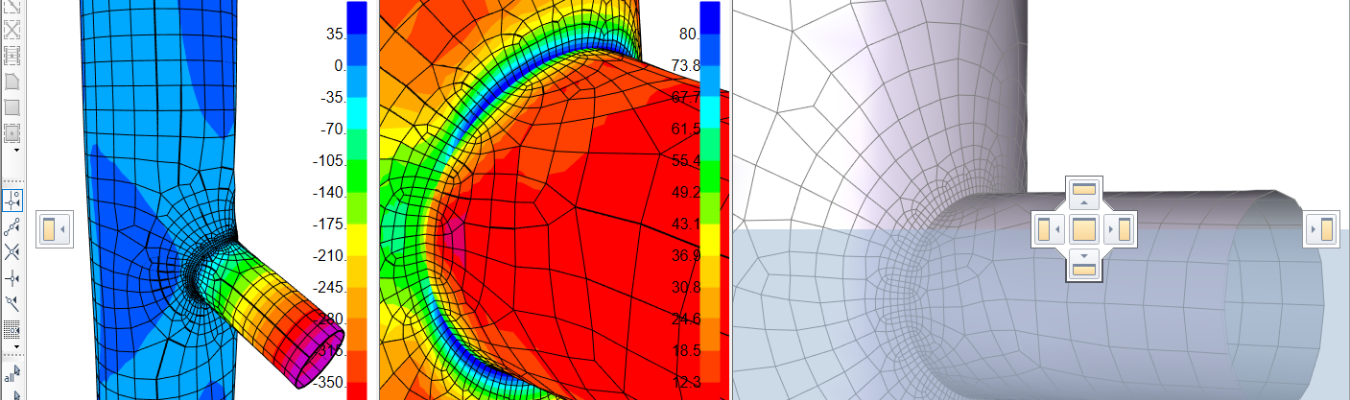
6. Interpret the Results
After analysis, visualize:
-
Displacement diagrams
-
Stress distribution
-
Bending moment and shear force graphs
This helps identify weak points where reinforcement or redesign may be needed.
Why Professionals Trust SAP2000
Developed by CSI Engineering Software Pvt. Ltd., SAP2000 has become a global standard because of:
-
Its intuitive graphical interface
-
Fast and highly accurate analysis engine
-
Powerful visualization and simulation tools
From high-rise structures to bridges, SAP2000 adapts to complex geometries and real-world load scenarios effortlessly.
Real Project Insight (Storytelling Element)
A major infrastructure firm wanted to test a curved pedestrian bridge design. Traditional manual calculations were too time-consuming. Using SAP2000, they ran an elastic analysis, optimized steel usage by 18%, and reduced project cost without compromising strength or safety. That’s the magic of smart engineering.
SAP2000 gives engineers:
-
Absolute control
-
Faster results
-
Higher accuracy
So, if you are designing a residential tower or an industrial structure, SAP2000 software transforms complex calculations into visual clarity.