
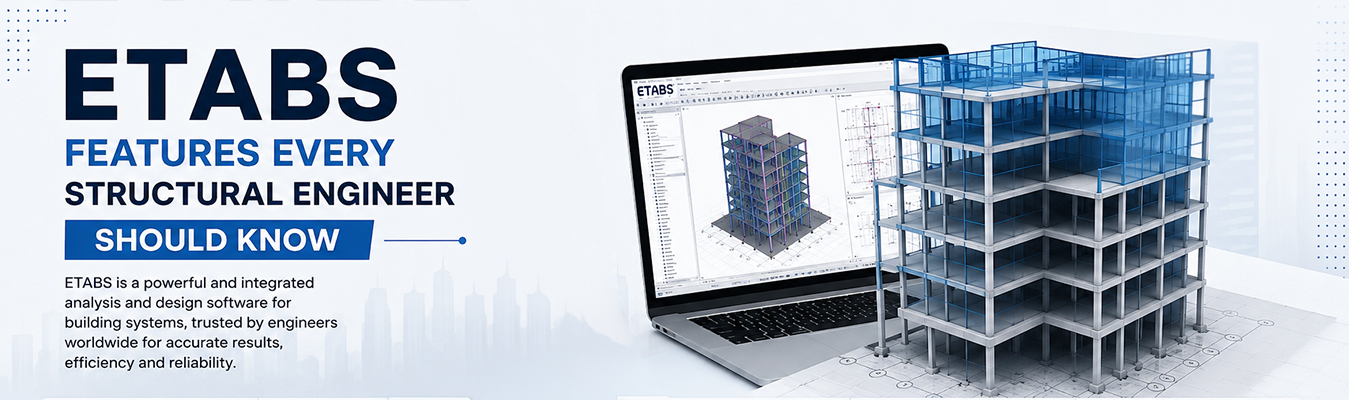
ETABS continues to be one of the most trusted tools for structural engineers for building analysis and design. This is mainly because the software provides 3D modeling, seismic analysis and code-based design checks all in one place. If you’ve used it on even a basic multi-storey project you already know that it can do a lot more than most engineers actually tap into. This blog reviews the ETABS features that really make a difference on real projects and not just the ones in a brochure.
Plenty of structural analysis tools exist now, but ETABS software has stuck around because it was built specifically for buildings; not adapted from some general-purpose finite element tool. That distinction matters more than people realize when you're dealing with floor diaphragms, shear walls, or irregular building geometry.
Many engineers have confirmed that they have picked up ETABS faster than any other tool simply because the interface actually thinks in terms of storeys and grids, the way a building actually gets designed. That's a small thing, but it saves real time.
1. Building-Specific 3D Modeling
ETABS structural design software, unlike generic FEA software, is based on a storey based modelling approach. Floors, columns, beams and shear walls are defined in an almost paper sketching way, while the software takes care of the geometry logic behind it.
2. Seismic and Wind Load Analysis
This is where most engineers spend a chunk of their time. Built-in support for multiple seismic codes, response spectrum analysis, and time-history analysis means you're not manually calculating base shear distribution across every floor.
3. P-Delta and Nonlinear Analysis
For taller or more flexible structures, ignoring second-order effects just is not an option anymore. ETABS handles P-Delta effects and nonlinear behavior reasonably well, which becomes critical once you're past a certain building height.
4. Concrete and Steel Design Modules
Once the analysis is done, ETABS moves straight into design checks based on codes like ACI, IS 456, Eurocode, and a few others depending on region. Rebar detailing, steel connection checks, and design optimization all happen without switching to a separate tool.
5. Composite Slab and Floor Vibration Checks
Not something every project needs, but for buildings with sensitive equipment or specific occupancy requirements, floor vibration analysis inside ETABS saves engineers from running a separate, often clunkier, vibration study.
6. BIM Integration
Import and export compatibility with Revit and other BIM platforms through IFC has made coordination between structural and architectural teams noticeably smoother over the last few years.
Yes. ETABS is the default program for mid to high-rise building design in most firms in India and worldwide, even with new tools coming in the market. Engineers who genuinely understand its deeper features tend to work noticeably faster and catch design issues earlier.
There's a reason ETABS hasn't faded out despite newer tools showing up as it was built around buildings from the start, and that, combined with dependable seismic analysis and code-compliant design features, is what's kept it relevant. Engineers who take the time to explore beyond basic modeling tend to get a lot more value out of it on real projects. CSI Engineering Software Pvt. Ltd. continues to help engineers who work with ETABS software to get the most out of the software and not just scratch the surface of what it can actually do.
1. What is ETABS mainly used for?
It's primarily used for structural analysis and design of buildings, covering everything from gravity loads to seismic and wind analysis.
2. Is ETABS suitable for high-rise building design?
Yes, it handles P-Delta effects, nonlinear analysis, and staged construction, all of which are relevant for taller structures.
3. Does ETABS support Indian design codes?
Yes, it includes support for IS codes alongside several international standards like ACI and Eurocode.
4. Can ETABS integrate with BIM software like Revit?
Yes, through IFC file compatibility, allowing smoother coordination between structural and architectural models.
5. Is ETABS difficult to learn for someone new to structural software?
It has a learning curve, like most engineering software, but its storey-based modeling approach makes it more intuitive for building-specific projects compared to generic FEA tools.
CSI Engineering Software Pvt. Ltd. E-169, Lower Ground Floor Greater Kailash -III, Masjid Moth New Delhi-110048
© CSI 2026. All Rights Reserved.
